Backup strategy:
In computer world most important thing is DATA. No system can 100% secure or fault tolerance, so we always worry & care about data.
Various organization follows different back strategy. Like daily, weekly, monthly or yearly and at different levels.
Once my CEO asked me to design the backup system, and then I study various backup system, algorithms and architectures.
Then I come up with this backup architecture
Level 0 - Hard disk backup using RAID -1 mirroring, its purpose is to use in the case of hardware failure.
Level 1 – OS backup using rsnapshot. It is a file system backup utility based on rsyn, using rsnapshot; it is possible to take snapshots of your file systems at different points in time. Its purpose is to use in the case of OS failure.
Level 2 – Application data backup on same data center using Rsync. Its purpose is to use in the case of application failure.
Level 3 – Application data backup at remote location. Its purpose is to use in the case of data center failure.
As you move from level – 0 to level -3, you have to take more revisions like hours 1, day 1, week 1, and year.
I think this is quit good backup strategy.
Showing posts with label backup. Show all posts
Showing posts with label backup. Show all posts
Thursday, September 13, 2007


Subscribe to:
Posts (Atom)
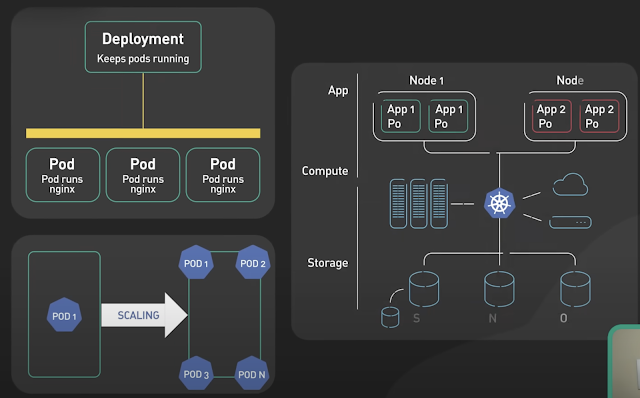
Basics of Kubernetes
Kubernetes, often abbreviated as K8s , is an open-source platform designed to automate the deployment, scaling, and management of container...
-
The Unix top command is designed to help users determine which processes are running and which applications are using more memory or process...
-
Rotating MySQL Log Files on Linux. A. Check logrotate must on daily cron #less /etc/cron.daily/logrotate B. Check on logrotate.d there must ...
-
Security Issues with MySQL ROOT Access MySQL offers simple but very effective security mechanisms. Unfortunately, the default installation o...
